

A visitor clicks your Google ad on Monday. They browse your site, leave, and think it over.
On Thursday, they return by typing your URL or using a bookmark. This time, there is no campaign parameter, click ID, or external referrer. They submit your form during that second visit.
What source should the lead carry?
The answer depends on what the system receiving the submission can see and whether it can reconnect the visitor with the earlier visit. Some analytics and CRM platforms preserve prior acquisition data when their tracking and identity association work correctly. Others may record only the conversion-session evidence, and many WordPress forms capture no marketing source unless you configure them to do so.
That is the gap Source Lock is designed to address: it preserves an earlier, identifiable source so a later source-less return does not replace the marketing evidence that began the relationship.
Why a returning visitor may appear as Direct
“Direct” does not always mean somebody memorized your URL.
In Google Analytics 4, (direct) / (none) means there was no clear referral source. That can describe a genuinely direct visit, but it can also occur when campaign or referral information is unavailable.
On a return visit, the original acquisition signals may no longer be present in the URL:
- The UTM parameters appeared only on the first landing page.
- An advertising click ID was attached to the original click, not the return visit.
- A bookmark or typed address provides no external referrer.
- A redirect, consent setting, browser restriction, or tracking problem interrupted the visitor history.
- The WordPress form submission did not carry an identifier that connects it with the earlier visit.
This does not mean every platform automatically gives Direct the credit. GA4’s key-event attribution models, for example, generally exclude direct visits from receiving credit unless the path contains only direct visits. Google explains that behavior in its attribution documentation.
The practical problem is narrower: your analytics platform may understand the journey, while the form notification, WordPress lead record, CRM field, or CSV export still lacks the earlier source.
What Source Lock does
Source Lock preserves a known source for a recognized visitor when a later visit provides no meaningful replacement signal.
When AttribuLead observes evidence such as a campaign parameter, advertising click ID, recognized search or referral source, or observable AI-assistant referral, it classifies that visit and stores the attribution in WordPress.
If the same browser later returns without a new identifiable source, AttribuLead can retain the earlier source as the visitor’s effective source. When a supported form is submitted, AttribuLead connects that conversion with its own lead-attribution record.
Source Lock does not claim that the return visit was something other than Direct. It keeps the attribution layers separate:
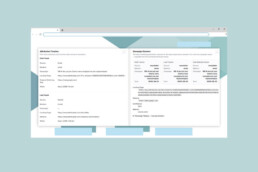
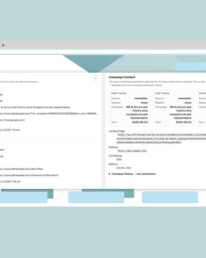
| Attribution layer | Monday: identifiable visit | Thursday: direct return |
|---|---|---|
| First touch | Original known source | Original known source |
| Last touch | Original known source | Direct return |
| Effective source | Original known source | Original known source, preserved by Source Lock |
This distinction matters. You can see that the conversion happened after a direct return without discarding the earlier evidence that brought the visitor to the site.
For the full definition of first, last, and effective source, see the AttribuLead attribution-model documentation.
A concrete Monday-to-Thursday example
Monday: A visitor arrives through a tagged paid-search campaign. AttribuLead records the available source, medium, campaign, and supporting evidence.
Thursday: The same browser returns through a bookmark and submits a supported WordPress form. The latest visit is a direct return, but Source Lock preserves Monday’s known source as the effective source for the AttribuLead lead record.
Without a working connection between those visits and the submission, the lead-capture system may have only Thursday’s source-less visit—or no attribution at all.
See how leads get “Lost to Direct”
We turned the attribution problem into a 60-second office game.
Collect the leads, survive the reporting process, and see how easily valuable marketing sources can disappear before the final report reaches the boss.
Play Lost to Direct →
No signup required.
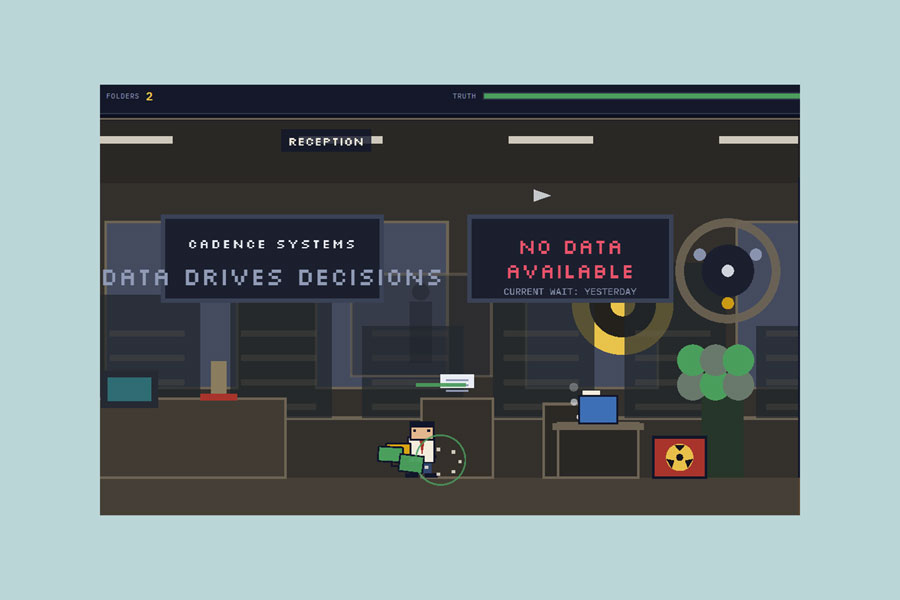
The game is the exaggerated office version of the problem. Source Lock is the practical WordPress mechanism for preserving the evidence.
How Source Lock behaves in AttribuLead
AttribuLead’s Source Lock governs the effective source used in its lead records and reports. It is included in AttribuLead Free as well as Pro.
The available policies determine what happens when a recognized visitor later arrives through another known source:
| Policy | What happens |
| Forever | The first known source remains the effective source. This is the default. |
| Days | The original source is protected for the configured time window; a later known source may replace it after that window. |
| Overwrite | The latest known source becomes the effective source. |
A source-less direct return does not replace an existing known source under these policies. The policy choice matters when the visitor returns through a different identifiable channel or campaign.
AttribuLead retains first-touch and last-touch information separately, so protecting the effective source does not require pretending later interactions never happened.
What Source Lock does—and does not—change
Source Lock affects AttribuLead’s effective-source decision. It should not be described as rewriting every platform’s native attribution model.
- It does not change GA4’s session classification or native attribution reports.
- It does not automatically rewrite HubSpot’s built-in Original Traffic Source or Latest Traffic Source properties.
- It can provide AttribuLead attribution for WordPress reporting, exports, configured hidden fields, workflows, and supported CRM synchronization.
- Native CRM synchronization is a Pro capability and depends on the connector and field mapping you configure.
HubSpot, for example, can associate earlier anonymous activity with a contact when its tracking cookie and form association work correctly. HubSpot documents how this can populate Original Traffic Source. AttribuLead supplies a parallel, WordPress-captured attribution dataset; it does not replace HubSpot’s native source logic. For the detailed distinction, read HubSpot Original Traffic Source on WordPress: What It Misses.
Form setup still matters
AttribuLead stores a server-side conversion snapshot for supported submissions, but the setup varies by form and destination.
- Gravity Forms: Add the required hidden fields and dynamic-population parameter names for the values you want carried in the native entry or onward to another system.
- Contact Form 7: Add the relevant hidden fields to the form template.
- HubSpot forms: Create the corresponding HubSpot properties and add them as hidden fields when you want AttribuLead values submitted with the form.
- Generic HTML forms: Add the documented hidden inputs and ensure the visitor identifier is present.
- Native CRM synchronization: Configure the appropriate Pro connector and field mapping.
Do not assume that installing an attribution plugin automatically adds every attribution field to every form entry or CRM record. Follow the AttribuLead integration instructions for the form you use.
How to test Source Lock on your WordPress site
Use a controlled two-visit test before relying on the data in production.
- Open a private browser window and visit your site with a clearly labeled test URL, such as
?utm_source=linkedin&utm_medium=paid_social&utm_campaign=source-lock-test. - Browse the site without submitting the form.
- Close the page, then return in the same private window using the plain site URL. Do not open a new private session, because that may create a different browser identity.
- Submit a supported form.
- Open the lead in AttribuLead and compare its first, last, and effective source.
- Confirm that the first source contains the test campaign, the last interaction shows the direct return where applicable, and the effective source remains the earlier known source.
- If values must also reach a form entry or CRM, verify those destinations separately. A correct AttribuLead record does not prove that every external mapping is configured correctly.
If the test fails, check consent mode, caching or script optimization, browser storage, redirects, form hidden fields, and whether the second visit used the same browser context.
The honest limits of Source Lock
Source Lock improves lead-level continuity, but it cannot recover evidence that never existed.
- It preserves a known source; it does not invent one. If the first observable visit has no campaign, click ID, or useful referrer, Direct or Unknown may be the honest result.
- It depends on visitor recognition. A different device, browser, cleared storage, or strict session-only configuration can break continuity.
- It is first-party and site-specific. It is not universal cross-device or cross-domain identity.
- Consent settings affect persistence. In a mode that does not permit persistent attribution storage, cross-session Source Lock cannot operate in the same way.
- It protects one effective source. It is not the same as multi-touch attribution, which assigns or analyzes credit across several touchpoints.
- It does not eliminate Direct. Genuine direct visits remain Direct, and unobservable sources should not be guessed.
- It does not prove incrementality. Preserving a source tells you what evidence preceded a lead; it does not prove that the channel alone caused the conversion.
These boundaries make the resulting data more credible. A defensible attribution system should explain what it observed, preserve what it can, and remain explicit when evidence is missing.
Why this matters for marketing decisions
If the system that receives a lead loses the source that began the journey, campaign reporting becomes harder to trust. Paid search, organic search, referrals, and AI referrals can look weaker at the lead level, while Direct absorbs conversions it did not necessarily originate.
Source Lock reduces one specific failure mode: an identifiable source being discarded because the visitor returned without a new signal before submitting a form.
That gives WordPress marketers a clearer comparison of visitors, leads, and conversion rate by source or campaign—and a better record to reconcile with GA4 and CRM reporting.
If you want to experience the problem first, play Lost to Direct. If you want to test the solution on your WordPress site, download AttribuLead Free.
Frequently asked questions
Source Lock is a rule that preserves an existing, identifiable source for a recognized visitor when a later source-less direct return would otherwise leave the conversion record without that earlier context.
No. Different analytics, CRM, and form systems handle returning visitors differently. GA4 attribution models generally exclude direct visits from receiving key-event credit unless the path contains only direct visits, and HubSpot may associate earlier activity when its visitor tracking and form association work. The risk is greatest when the lead-capture system sees only the conversion visit or fails to reconnect it with prior evidence.
They are related but not identical. First touch records the earliest known source. Source Lock is the policy that determines whether that known source remains the effective source when later visits occur. AttribuLead also retains last-touch information separately.
No. Source Lock protects one effective source. Multi-touch attribution analyzes or assigns credit across multiple interactions in the conversion path.
No. It governs AttribuLead’s own effective-source data. Configured form fields, exports, workflows, or CRM connectors can send AttribuLead values elsewhere, but they do not change those platforms’ native attribution logic automatically.
Yes. Source Lock and first-, last-, and effective-source attribution are included in AttribuLead Free. Revenue attribution, advanced journeys, and native CRM synchronization are Pro capabilities.
No. It preserves a known earlier source when the same recognized visitor returns directly. Genuinely direct visitors and visits with no recoverable evidence should remain Direct or Unknown.
Not by itself. It relies on the available first-party visitor identity in the relevant browser and site context. A return from another device or browser may be treated as a new visitor.